How to sell the AI system you built as a kit
You built something in Claude that works: a dashboard, a few skills, a rules file that keeps it all in line. Other people would use it too. Ownkit lets you sell it as a kit, with your own shop page and checkout handled for you.
Who this is for
You have a folder that turns Claude into a tool. Maybe it has a CLAUDE.md file that Claude Code loads at the start of every session (How Claude remembers your project), skills in SKILL.md files that Claude uses when a request matches (Skills in Claude Code), and a dashboard that shows the data. If a stranger could get value from that folder with your personal data taken out, it can be a kit.
What a kit contains
Buyers on Ownkit all do the same thing: unzip, open their AI in that folder, type Read Ownkit/START.md and follow it. Your kit has to make that work.
READ ME.txt: four short steps for the buyer. Required.Ownkit/START.md: the setup script the buyer's AI follows. Required.Ownkit/Guide.md: a one-page guide.Ownkit/Templates/: the rules file, the dashboard, empty starter data files and one to three skills.Ownkit/Sample data/: fictional sample data, clearly marked.
The setup script asks at most five short questions, one at a time, keeps its progress so the buyer can type "continue", merges with existing files instead of overwriting them, and ends with three example sentences to try.
Let the prep prompt do the work
You do not have to build this by hand. The prep prompt is one block of text you paste into your own AI, in the folder with your system. It reads your files, asks you at most three questions, and builds the kit in a new folder. Your original files are never changed or deleted, and nothing is uploaded or sent.
When it is done you have one folder, Upload Ownkit, with everything the upload form asks for: the zip, three or four screenshots and a text file with every answer ready to copy.
Clean it before you sell it
The prep prompt goes through every file and makes a list of what it removed or changed. It checks for:
- Personal and business details: names, email addresses, phone numbers, addresses, client data. These become clearly fictional examples, such as "Robin Example".
- Passwords, API keys, tokens and files like
.env. Where a buyer needs their own key, the guide tells them where to fill it in. - Program files such as
.exeor.bat. Helper scripts only if the system really needs them, described in the guide. - Hidden instructions, and network calls from the dashboard.
- Real-world facts such as tax rates or health advice. Each needs a source that was actually checked, or becomes a setting the buyer fills in.
Ownkit checks every zip again on upload, and reviews every kit before it goes live.
Screenshots that show the real thing
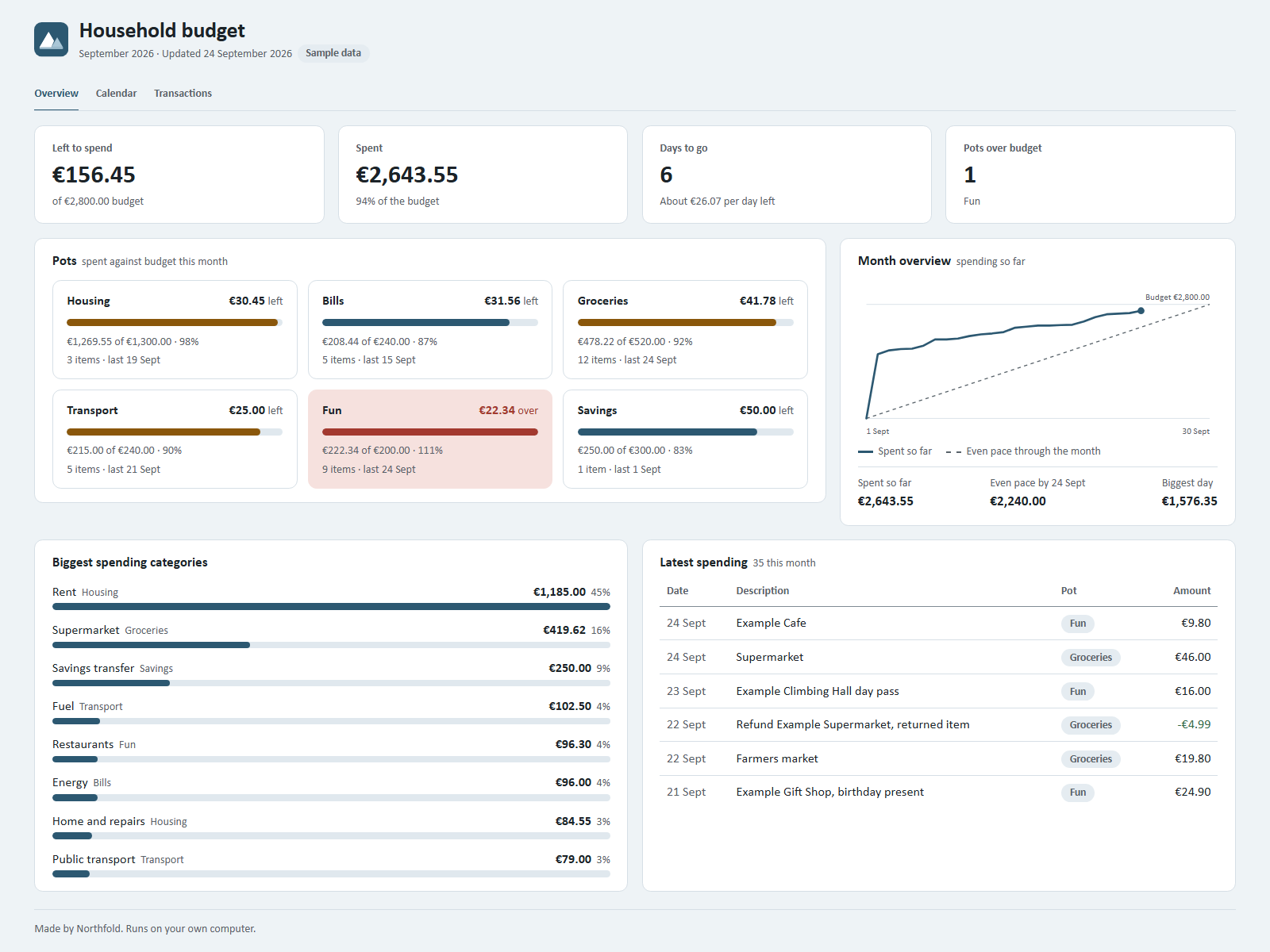
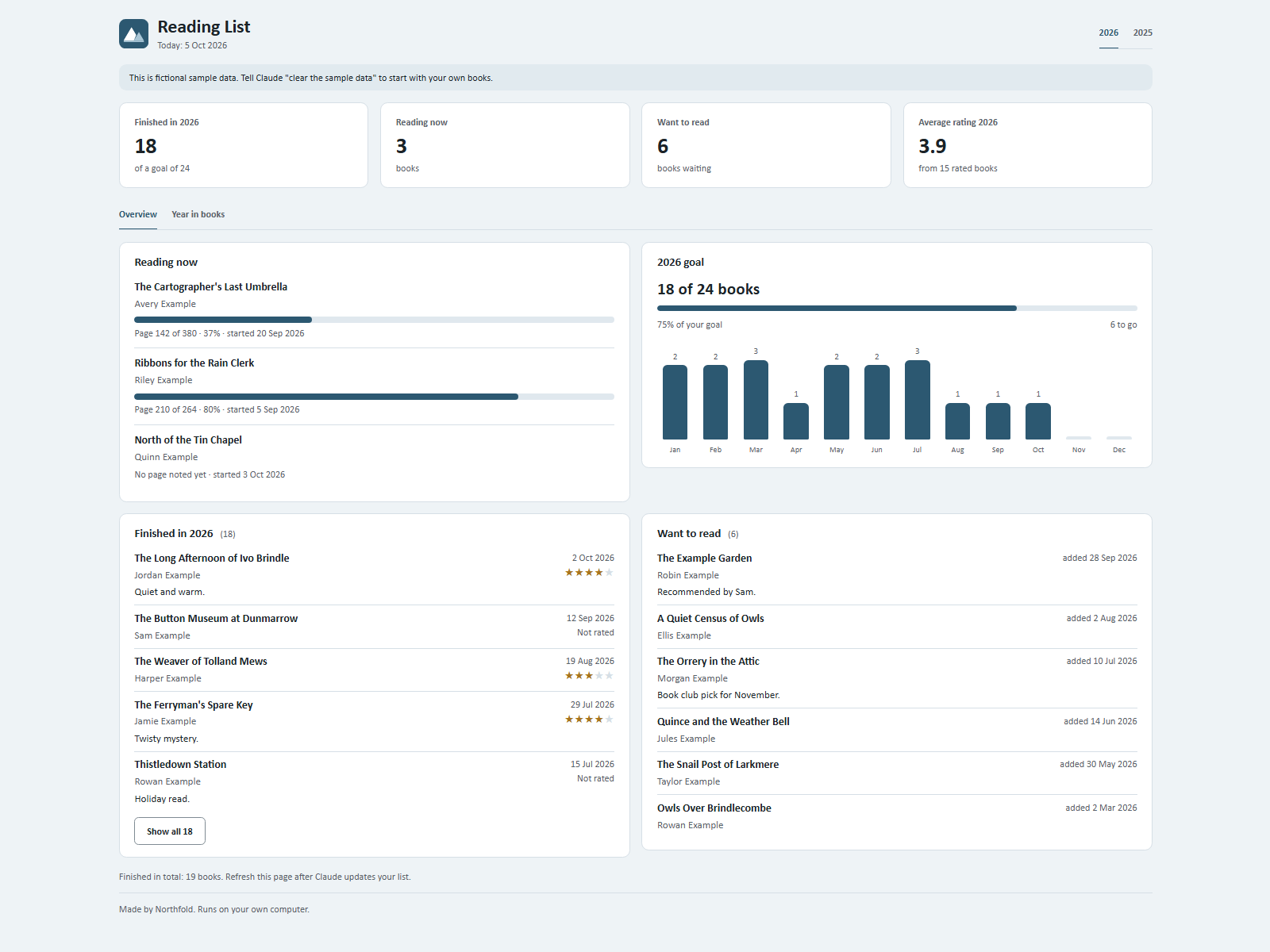
Buyers decide on the images. Make three or four PNG screenshots of 1600 x 1200 pixels in light mode, with the sample data loaded: the overview first, then a second view, then a third view or the conversation that updates it. No personal data may be visible. Ownkit does not use stock photos for kits; buyers see your actual system.
Pick a price
You choose one of these tiers per kit: Free, €2.99, €4.99, €8.99, €12.99 or €19.99. Buyers see the price including VAT, as a one-time payment.
Then you choose a plan. On Standard you keep 80% of the price excluding VAT. On Featured you keep 70%, and your kit is shown before Standard kits in Popular on the home page. Featured changes the order; it does not promise views or sales.
| Price | Excl. 21% VAT | You get on Standard | You get on Featured |
|---|---|---|---|
| €2.99 | €2.47 | €1.98 | €1.73 |
| €4.99 | €4.12 | €3.30 | €2.89 |
| €8.99 | €7.43 | €5.94 | €5.20 |
| €12.99 | €10.74 | €8.59 | €7.51 |
| €19.99 | €16.52 | €13.22 | €11.56 |
Per sale, an example at 21% VAT, the rate used in the seller terms. The VAT on an actual sale can differ. Free kits earn nothing on either plan.
How to choose? Look at how much the kit does and how much setup it saves a buyer. The prep prompt suggests a tier with one line of reasoning; the choice is yours.
Write the listing like a buyer reads
The upload form asks for a name, a category, a one-line result, what the buyer gets, example sentences and screenshot captions. It also asks what your kit needs to run: which AI, whether a paid plan is needed, and any other software, marked required or optional. Buyers see that list before they pay.
Keep the copy concrete. Say what the buyer has after opening the kit. Leave out hype words and promises of results, such as hours saved, and do not write prices of other products.
Review, payouts and ownership
- Every kit is reviewed before it goes live, and so is every update.
- Your balance is paid out once a month, once it is €25 or more. Payouts start when paid checkout on Ownkit is live.
- Your kit stays yours. Ownkit gets a non-exclusive right to show and sell it. You can take it offline at any time.
All the details are in the seller terms. Want to see the format from the buyer's side first? Read what an AI kit is, or look at a kit like Clients & Quotes.
Sources
- How Claude remembers your project, Claude Code Docs, Anthropic. Read on 5 October 2026.
- Skills in Claude Code, Claude Code Docs, Anthropic. Read on 5 October 2026.